

 Q&A
Q&A

Zone Essentials And Spark Cross Category Finds
In retail, you are always designing for two behaviours at the same time: the shopper who wants to get in and out, and the one who is open to discovery.
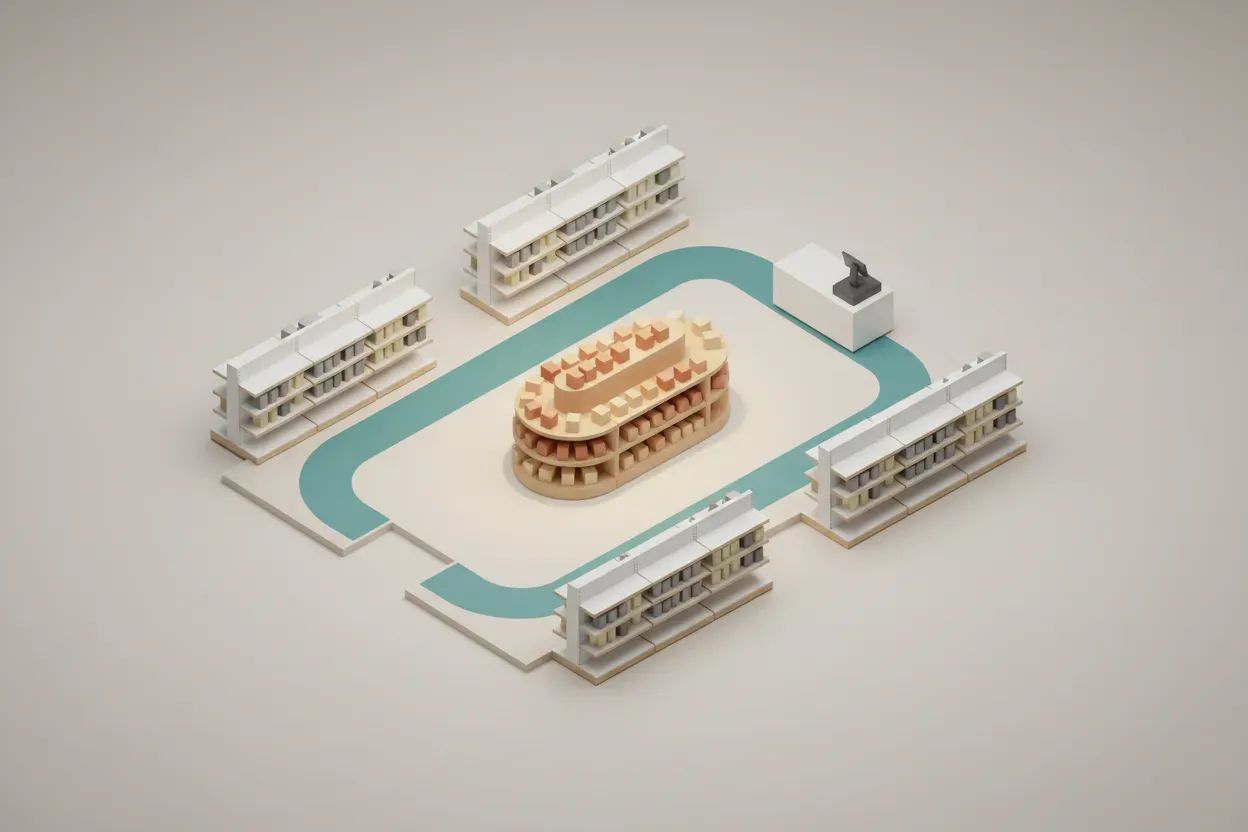
The balance comes down to zoning. High-frequency, essential products need to be easy to locate, typically along clear sightlines and predictable paths. That reduces friction for quick trips. Around those zones, you create slower "decompression" areas where shoppers naturally pause.
One rearrangement that worked well for a supermarket client was repositioning impulse and complementary products from scattered end caps into structured secondary zones adjacent to staple categories. For example, instead of placing snacks randomly, we grouped them near high-traffic essentials like beverages and bread.
At the same time, we widened key aisle entries and improved sightlines using lower shelving at entry points. That allowed mission shoppers to move quickly while still exposing them to adjacent categories.
The result was faster navigation for repeat shoppers and a measurable lift in basket size driven by better cross-category visibility. It was not about adding more products, but placing the right ones where attention already exists.
Guide Central Access And Cultivate Perimeter Fellowship
I'll be honest, I'm not a retail expert. I work with Harlingen Church of Christ here in South Texas, so my experience is more about ministry and community outreach than store layouts. But I can share how we've approached similar space challenges at our church.
When we rearranged our fellowship hall and resource center last year, we faced something comparable. People coming for quick prayer sessions needed easy access, while others wanted to linger and connect. We created a clear central path leading straight to our prayer room and main sanctuary for folks on tight schedules. That's our "mission trip" equivalent.
For the browsers, we arranged our community resource tables and book displays along the perimeter with comfortable seating nooks. What surprised us was how this layout actually served both groups better. The quick-trip folks told us they felt less guilty about not stopping to chat when they didn't have to navigate through social areas. And the people who wanted community time naturally gravitated to the edges without feeling rushed.
One rearrangement that worked well was moving our welcome center from the entrance to a side alcove. Before, it created a bottleneck that frustrated people running late. After the move, newcomers could still find us easily, but regular attendees could slip right past. Our community connections actually increased because volunteers at the welcome center had more meaningful conversations without feeling pressured by the crowd.
We also noticed our youth ministry area benefited from creating distinct zones. The gaming and hangout spot is separate from the study space, so kids coming for quick tutoring don't get distracted, while others can socialize without feeling they're in the way.
The principle seems universal whether you're running a store or a church. Clear sightlines and intuitive flow reduce frustration for goal-oriented visitors, while thoughtful peripheral spaces invite exploration. We didn't expect such a simple change to deepen both efficiency and engagement, but that's what happened. Sometimes stepping back and watching how people actually use your space teaches you more than any manual could.
Map Traffic Friction And Remove Flow Barriers
Heatmaps from sensors or sales data show where people bunch up and where paths stall. These maps make it easy to spot chokepoints that slow quick trips. Aisles can be widened, turns eased, and end displays trimmed to open a clean lane to grab-and-go zones. Slower pockets can host discovery tables so browsing does not block fast flow.
After each change, new maps can confirm if dwell times and detours go down. Seasonal shifts can be forecast by comparing maps across weeks and days. Build a simple heatmap baseline now and move one barrier at a time to tune the flow.
Rotate Entrance Messages And Direct Dual Missions
Dynamic signs can guide fast shoppers and slow browsers at the same time. Screens at the door can switch between quick trip prompts and discovery cues based on time and traffic. Clear icons, short words, and color codes reduce search time and lower stress. Direction signs at key turns can show the shortest route to common needs while also teasing new zones to explore.
Messages can change by weather, local events, or stock levels to keep trips fresh. Accessibility features like high contrast and simple language help more people finish fast or wander with ease. Pilot a dynamic sign plan at the entrance and main junctions this month to steer both missions with care.
Add Micro Checkouts And Shorten Final Steps
Micro-checkouts placed across the floor cut backtracking and shorten the last step of the trip. Small pods with self-scan, tap to pay, and bag racks work well by exits and near key departments. Staff with mobile devices can clear lines by handling quick baskets on the spot. Clear signs and lane lights show which pods are open and keep lines fair.
Power, network, and camera coverage keep units reliable and safe. Data from each pod shows peak hours and helps tune labor by zone. Run a two-week pilot with one pod per busy zone and measure wait time and basket lift.
Tune Store Light And Shape Shopper Pace
Light can set the pace for either a quick dash or a slow browse. Cooler, brighter light along main paths signals speed and clarity. Warmer, softer light in nooks invites pause and deeper look. Accent beams on lead items help both groups spot what matters fast.
Time-based dimming can shift tone for morning rush, midday calm, and evening errands. Motion sensors can raise light where traffic grows and lower it where it fades. Create two test zones with different light scripts and compare trip time and sales.
Deploy Modular Fixtures And Reset Layouts Fast
Modular fixtures let the same floor serve many shopping goals without heavy rebuilds. Lightweight shelves on wheels can roll forward for rush periods and pull back when browsing is the goal. Quick trip baskets like tonight’s dinner or daily essentials can live on pop-up ends near the door. Taller units can frame paths while lower pieces near corners keep sight lines open and safe.
Simple locks and floor guides keep moves fast and repeatable for staff. Regular resets keep the store fresh and give space to test new bundles. Map a weekly fixture plan and train a small crew to flip zones in under an hour.